WOLOLOLABS // AOE2 DE / STEAM
ESP, map visibility and player intelligence.
Read the field and the players in Age of Empires II: Definitive Edition. WololoLabs groups ESP world overlays, a dedicated Minimap, Remove Fog and ResourceSpy into four complementary information tools.
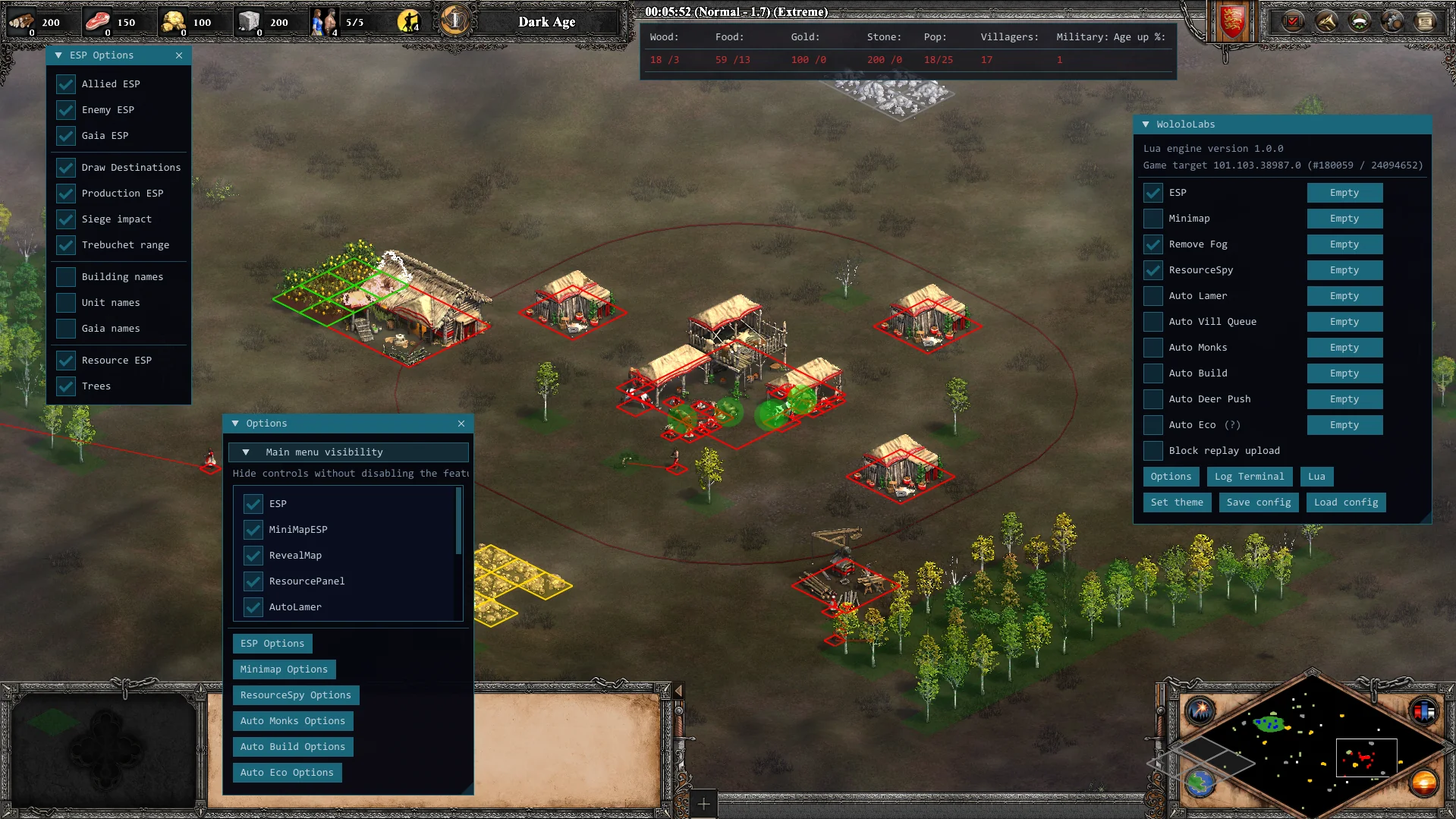
ESP world overlays.
ESP includes boxes for allied, enemy and gaia objects, plus unit destinations and production information. Siege impact and trebuchet range overlays add spatial context around siege units. Resource and tree overlays cover the economy on the map.
Open ESP in the command menu and use its controls and Options to choose the information you want to display.
A dedicated Minimap.
Plot units, resources and trees on a separate map surface. Move and scale the Minimap to place it beside your match view.
Its controls are separate from ESP, so you can configure the world overlays and the map display individually.
Remove Fog: full-map visibility.
Select Remove Fog in the WololoLabs command menu to clear fog of war. The whole field stays visible for the remainder of the match.
AoE2 map hack and maphack are common terms for this kind of map visibility. The feature is named Remove Fog in the software and is accessed through its controls, separately from built-in chat cheat codes such as marco or polo.
ResourceSpy economy information.
View each player's wood, food, gold and stone alongside villager jobs, military count and age-up progress. ResourceSpy puts the players' economy information together in a dedicated display.