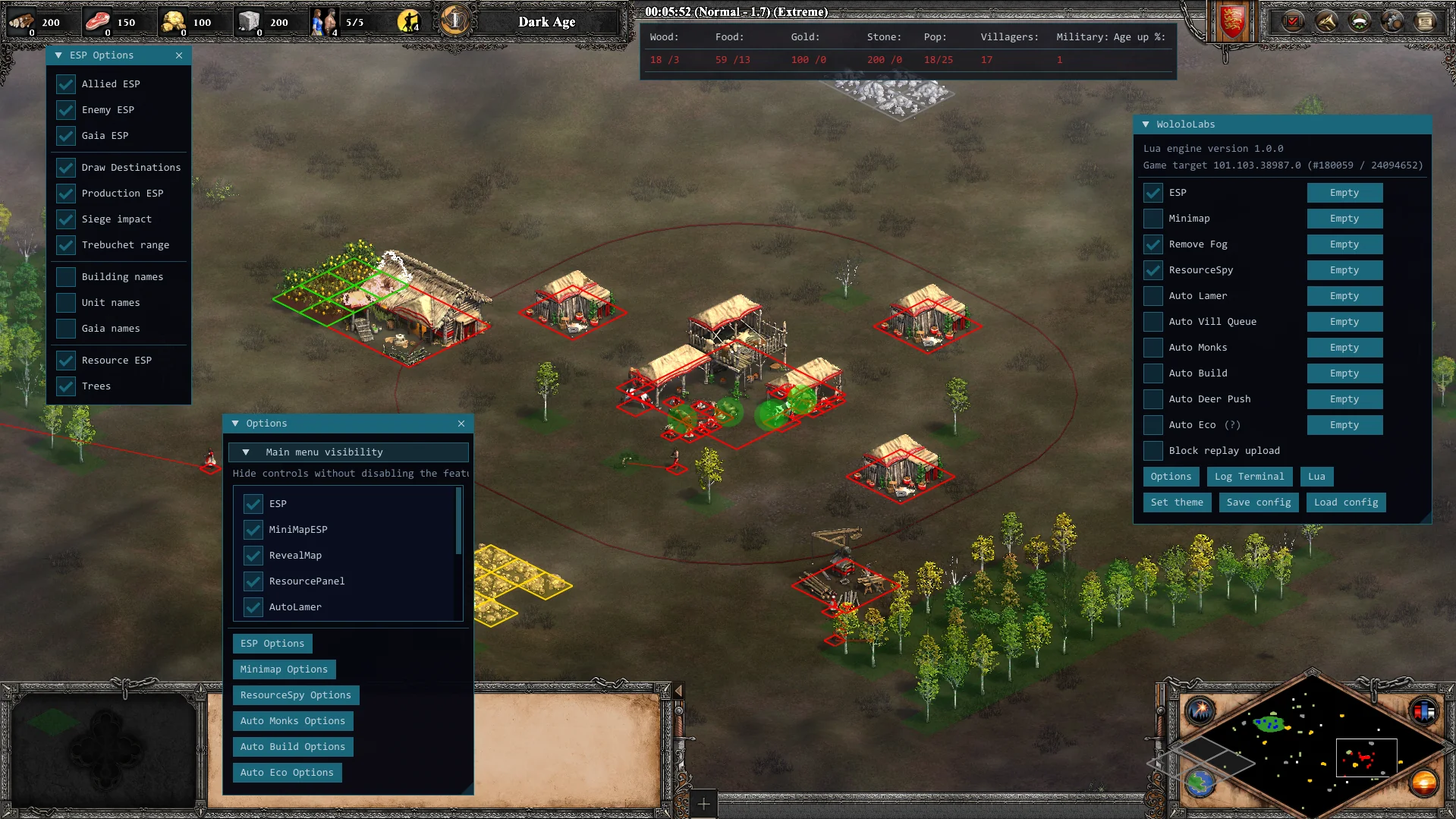
ESP world overlays.
Allied, enemy, and gaia boxes, plus destinations, production, siege impact, trebuchet range, resources, and trees.
AOE2 DE CHEAT SOFTWARE // STEAM
Cheat and automation software for Age of Empires II: Definitive Edition. Read the field with ESP, Remove Fog and ResourceSpy. Hand off the economy with Auto Eco, or build your own ideas in Lua.
Steam edition · Instant delivery · 30-day access
02 / BUILT-IN CAPABILITIES
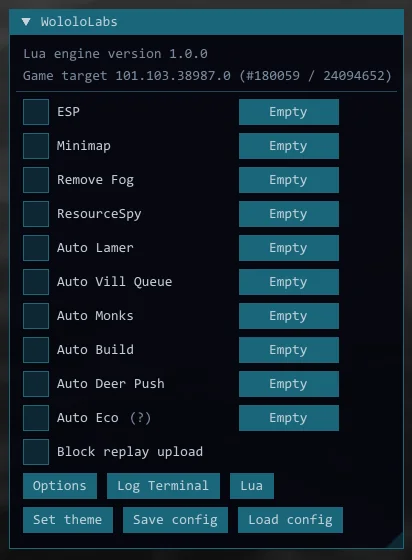
ESP, Minimap, Remove Fog, ResourceSpy, the auto tools, Auto Eco, and Block replay upload. Toggle what you need for the match, then open Options for the details.
Allied, enemy, and gaia boxes, plus destinations, production, siege impact, trebuchet range, resources, and trees.
Plot units, resources, and trees on a dedicated minimap you can move and scale.
Clear fog of war so the whole field stays visible for the rest of the match.
Each player's wood, food, gold, stone, villager jobs, military count, and age-up progress.
Auto Vill Queue, Auto Build, Auto Lamer, Auto Monks, and Auto Deer Push for the clicks you should not make twice.
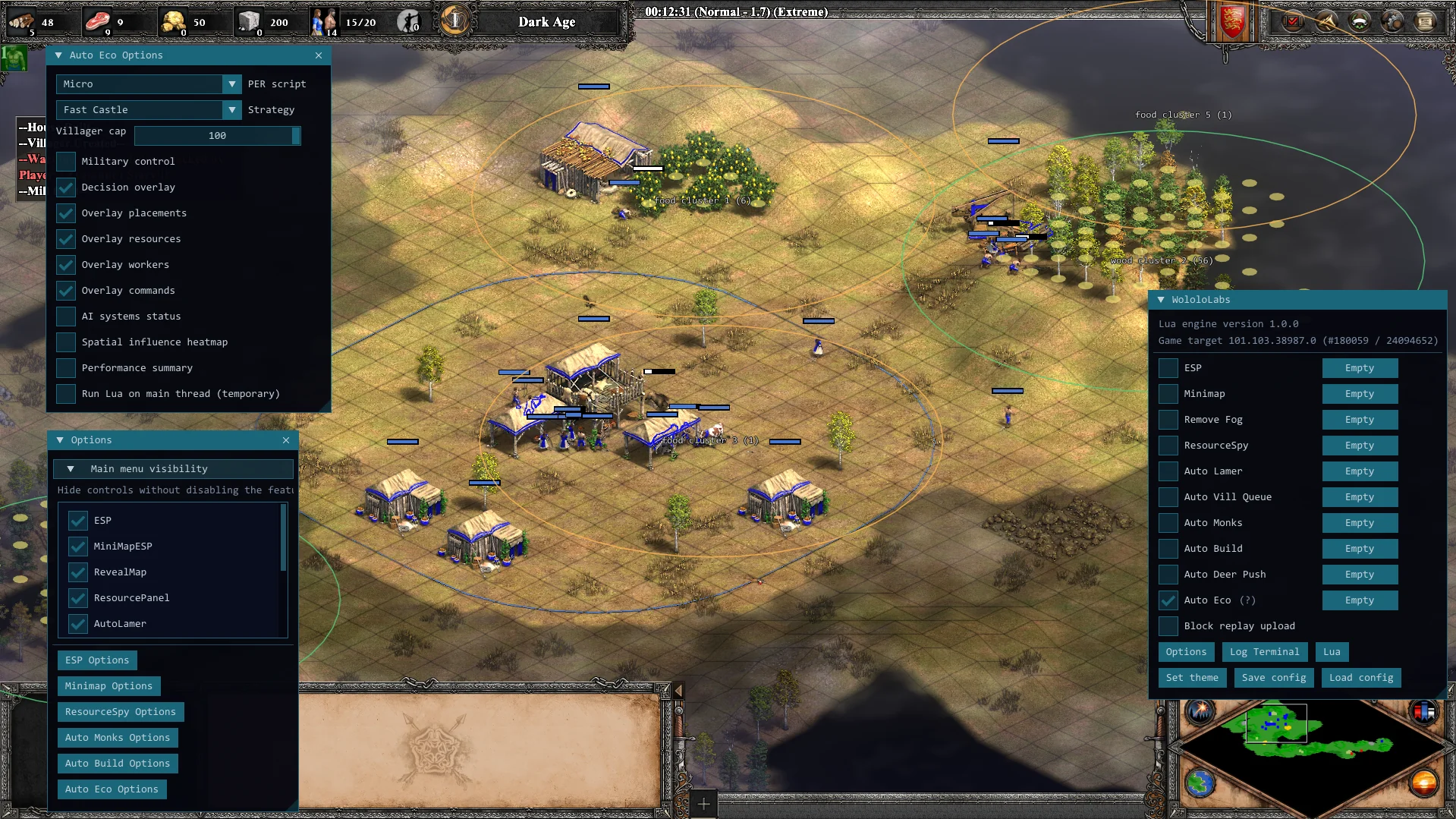
Run a PER-driven economy player in your match, with villager cap, strategy, and optional military control.
03 / IN THE FIELD
Built-in controls, tactical overlays, and automation settings sit alongside the match—ready when you need them.
04 / MANAGED LUA API
Build small, focused features with a documented scripting surface. Query game state, issue bounded commands, add settings, and draw interface output from one managed runtime.
local tracker = ResourceTracker()

function Update()
  tracker:Update()
  local player = GetAssignedPlayer()
  local town = player and player:GetTownCenters()[1]
  local scout = player and player:GetObjectsByClass(UnitClass.SCOUT)[1]
  if not town or not scout then return end

  local home = town:GetPosition()
  local deer = tracker:GetPreyNear(home, 40, 1)[1]
  if not deer then return end

  local pos = deer:GetPosition()
  local dx, dy = pos.x - home.x, pos.y - home.y
  local n = math.sqrt(dx * dx + dy * dy)
  UnitsMove({ scout }, Vector2(pos.x + dx / n * 2, pos.y + dy / n * 2))
endQUESTIONS & ANSWERS
Yes. WololoLabs is commercial cheat software for Age of Empires II: Definitive Edition on Steam. It combines visibility tools, player intelligence, automation and a managed Lua API. Explore the AoE2 DE cheat software overview.
No. WololoLabs is separate software with its own controls and scripting environment. It is not a list of chat commands such as marco or polo. Remove Fog and map visibility are features of the software.
WololoLabs is built for Age of Empires II: Definitive Edition on Steam, running on Windows.
Yes. Cheating always carries a risk of account bans. We take the precautions we can to reduce risk, but cannot guarantee that the software will remain undetected or that your account will not be banned. You use WololoLabs at your own risk and are responsible for that decision. WololoLabs is not responsible for bans resulting from its use.
WololoLabs includes ESP world overlays, a dedicated minimap, Remove Fog, ResourceSpy, automatic unit micro, and Auto Eco. It also provides a managed Lua scripting API. See the feature overview for details.
Auto Eco runs a PER-driven economy player with a configurable villager cap, strategy, and optional military control. ESP and ResourceSpy provide separate overlays and live economy information.
You can use the built-in tools through their controls and options. Lua scripting lets you create your own features. Start with the Lua setup guide, try the complete script examples, and explore the unit command reference.
Enter your email address, select an available access plan, and open the secure DePay checkout. DePay shows the payment amount and handles the crypto payment. Use an email address you can access for your receipt and download delivery. New to crypto? Read our quick payment help.
Use the download link sent to your purchase email. If you need to retrieve it again, enter your account email address in the checkout section and select Have an account? Get your download. We’ll email you a fresh link.
WOLOLOLABS // ACCESS WINDOW
One payment. Thirty days of AoE II: DE Steam access.
DePay handles the payment. A crypto wallet is an app you use to hold crypto and approve purchases.
Start with the setup instructions for a wallet offered in DePay’s connection screen. When adding funds, the coin and its network must match a payment option shown at checkout. A network is the system that processes the payment; its fee may require a separate coin balance.
Your wallet’s recovery phrase stays private. You won’t need to share it with WololoLabs or DePay to pay.
How DePay works ↗
Need a hand? WololoLabs on Discord: __PHALANX